# v3.0.0-beta.1 **Category**: react **URL**: https://www.heroui.com/docs/react/releases/v3-0-0-beta-1 **Source**: https://raw.githubusercontent.com/heroui-inc/heroui/refs/heads/v3/apps/docs/content/docs/react/releases/v3-0-0-beta-1.mdx > Major redesign with new design system, 8 new components, and improved developer experience. ***
November 6, 2025
This release introduces a comprehensive redesign of HeroUI v3, merging v2's beauty and animations with v3's simplicity. All components redesigned, 8 new components, and improved design system with better color tokens, shadows, and architecture. ## Installation Update to the latest version: ```bash npm i @heroui/styles@beta @heroui/react@beta ``` ```bash pnpm add @heroui/styles@beta @heroui/react@beta ``` ```bash yarn add @heroui/styles@beta @heroui/react@beta ``` ```bash bun add @heroui/styles@beta @heroui/react@beta ``` **Using AI assistants?** Simply prompt "Hey Cursor, update HeroUI to the latest version" and your AI assistant will automatically compare versions and apply the necessary changes. Learn more about the [HeroUI MCP Server](/docs/ui-for-agents/mcp-server). ## What's New ### New Design System We've spent weeks crafting a new design system that merges the soul of HeroUI v2 with the simplicity of v3. Every component has been redesigned with attention to detail, smooth animations, and improved developer experience. The new design system is available in our [Figma Kit V3](https://www.figma.com/community/file/1546526812159103429/heroui-figma-kit-v3). The redesign brings: - New color system that brings v3's vision to life and stands out for its uniqueness - Refined shadow system for better depth perception - New variables and tokens for better customization - Automatic `isOnSurface` support for form-based components - Enhanced border and spacing tokens - Better contrast and accessibility - Consistent component patterns across web and native ### New Components This release introduces **8 new** essential components: - **[Alert](#alert)**: Display important messages and notifications with status indicators. - **[Checkbox & CheckboxGroup](#checkbox-checkboxgroup)**: Select multiple items from a list. - **[InputOTP](#inputotp)**: One-time password input for authentication flows. - **[Listbox](#listbox)**: Display a list of options and allow single or multiple selection. - **[Select](#select)**: Dropdown selection component built on top of Listbox. - **[Slider](#slider)**: Select a value from a range with custom marks and labels. - **[Surface](#surface)**: Base surface component for creating elevated containers. ### Alert ```tsx import {Alert, Button, CloseButton, Spinner} from "@heroui/react"; import React from "react"; export function Basic() { return (
{/* Default - General information */} New features available Check out our latest updates including dark mode support and improved accessibility features. {/* Accent - Important information with action */} Update available A new version of the application is available. Please refresh to get the latest features and bug fixes. {/* Danger - Error with detailed steps */} Unable to connect to server We're experiencing connection issues. Please try the following:
  • Check your internet connection
  • Refresh the page
  • Clear your browser cache
{/* Without description */} Profile updated successfully {/* Custom indicator - Loading state */} Processing your request Please wait while we sync your data. This may take a few moments. {/* Without close button */} Scheduled maintenance Our services will be unavailable on Sunday, March 15th from 2:00 AM to 6:00 AM UTC for scheduled maintenance.
); } ``` ### Checkbox & CheckboxGroup ```tsx import {Checkbox, Label} from "@heroui/react"; export function Basic() { return ( ); } ``` ```tsx import {Checkbox, CheckboxGroup, Description, Label} from "@heroui/react"; export function Basic() { return ( Choose all that apply Love building software Enjoy creating beautiful interfaces Passionate about content creation ); } ``` ### InputOTP ```tsx import {InputOTP, Label, Link} from "@heroui/react"; export function Basic() { return (

We've sent a code to a****@gmail.com

Didn't receive a code?

Resend
); } ``` ### Listbox ```tsx import {Avatar, Description, Label, ListBox} from "@heroui/react"; export function Default() { return ( B
bob@heroui.com
F
fred@heroui.com
M
martha@heroui.com
); } ``` ### Select ```tsx import {Label, ListBox, Select} from "@heroui/react"; export function Default() { return ( ); } ``` ### Slider ```tsx import {Label, Slider} from "@heroui/react"; export function Default() { return ( ); } ``` ### Surface ```tsx import {Surface} from "@heroui/react"; export function Variants() { return (

Default

Surface Content

This is a default surface variant. It uses bg-surface styling.

Secondary

Surface Content

This is a secondary surface variant. It uses bg-surface-secondary styling.

Tertiary

Surface Content

This is a tertiary surface variant. It uses bg-surface-tertiary styling.

Transparent

Surface Content

This is a transparent surface variant. It has no background, suitable for overlays and cards with custom backgrounds.

); } ``` ### Improved Component APIs Several components have been refined with better APIs: - **Link**: Added `underline` and `underlineOffset` props for better customization ```tsx import {Link} from "@heroui/react"; export function LinkBasic() { return ( Call to action ); } ``` - **Card**: Improved variants and styling system ```tsx import {CircleDollar} from "@gravity-ui/icons"; import {Avatar, Button, Card, CloseButton, Link} from "@heroui/react"; export function WithImages() { return (
{/* Row 1: Large Product Card - Available Soon */}
Cherries
Become an ACME Creator! Lorem ipsum dolor sit amet consectetur. Sed arcu donec id aliquam dolor sed amet faucibus etiam.
Only 10 spots Submission ends Oct 10.
{/* Row 2 */}
{/* Left Column */}
{/* Top Card */}
PAYMENT You can now withdraw on crypto Add your wallet in settings to withdraw
Go to settings
{/* Bottom cards */}
{/* Left Card */} JK

Indie Hackers

148 members

JK

By John

{/* Right Card */} AB

AI Builders

362 members

M

By Martha

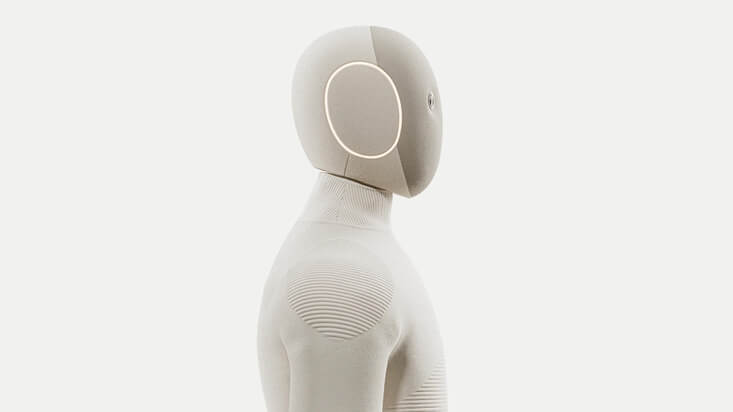
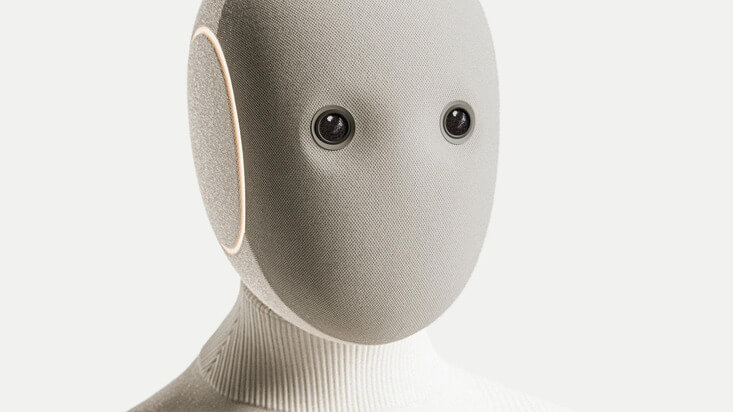
{/* Right Column */} {/* Background image */} {/* Header */} NEO Home Robot {/* Footer */}
Available soon
Get notified
{/* Row 3 */}
{/* Left Column: Card */}
NEO
$499/m
{/* Right Column: Cards Stack */}
{/* 1 */} Futuristic Robot
Bridging the Future Today, 6:30 PM
{/* 2 */} Avocado
Avocado Hackathon Wed, 4:30 PM
{/* 3 */} Sound Electro event
Sound Electro | Beyond art Fri, 8:00 PM
); } ``` - **Chip**: Enhanced with size variants and improved color system ```tsx import {Chip} from "@heroui/react"; export function ChipBasic() { return (
Default Accent Success Warning Danger
); } ``` - **Switch**: Redesigned from the ground up with improved visual design and animations ```tsx import {Label, Switch} from "@heroui/react"; export function Basic() { return ( ); } ``` - **RadioGroup**: Redesigned from the ground up with better API and styling ```tsx import {Description, Label, Radio, RadioGroup} from "@heroui/react"; export function Basic() { return ( Choose the plan that suits you best Includes 100 messages per month Includes 200 messages per month Unlimited messages ); } ``` ### Flexible Component Patterns HeroUI now supports flexible component syntax. Use compound patterns with or without `.Root`, or named exports - all three patterns work identically. **Available patterns:** ```tsx import { Avatar } from "@heroui/react" // 1. Compound pattern (no .Root needed) - recommended JD // 2. Compound pattern with .Root - still supported JD // 3. Named exports import { AvatarRoot, AvatarImage, AvatarFallback } from "@heroui/react" JD ``` **Simple components** like Button work the same way: ```tsx import { Button } from "@heroui/react" // No .Root needed // Or with .Root Label // Or named export import { ButtonRoot } from "@heroui/react" Label ``` **You can mix compound and named exports** in the same component: ```tsx import { Avatar, AvatarFallback } from "@heroui/react" JD ``` This provides: - **Simpler API**: Main components no longer require `.Root` suffix - **Flexibility**: Choose between compound pattern, compound with `.Root`, or named exports - **Backward Compatibility**: The `.Root` pattern still works - **Naming Consistency**: Standardized naming (e.g., "Container" instead of "Wrapper") ### Global Animation Control HeroUI now supports easy global animation control through the `data-reduce-motion` attribute. Simply add `data-reduce-motion="true"` to your `` or `` tag to disable all animations across your application. ```html ``` HeroUI automatically respects user motion preferences using the `prefers-reduced-motion` media query and extends Tailwind's `motion-reduce:` variant to support both system preferences and manual control via the data attribute. This provides flexible control over animations while maintaining accessibility best practices. Learn more about animations and motion preferences in the [Animation documentation](/docs/handbook/animation). ## ⚠️ Breaking Changes ### Design System Variables #### Panel → Surface & Overlay The `--panel` variable has been replaced with `--surface` and `--overlay` to better distinguish between non-overlay components (cards, accordions) and floating components (tooltips, popovers, modals). **Before:** ```css --panel: var(--white); --panel-foreground: var(--foreground); --shadow-panel: 0 0 1px 0 rgba(0, 0, 0, 0.3) inset, 0 2px 8px 0 rgba(0, 0, 0, 0.08); ``` **After:** ```css --surface: var(--white); --surface-foreground: var(--foreground); --overlay: var(--white); --overlay-foreground: var(--foreground); --shadow-surface: 0 2px 4px 0 rgba(0, 0, 0, 0.04), 0 1px 2px 0 rgba(0, 0, 0, 0.06), 0 0 1px 0 rgba(0, 0, 0, 0.06); --shadow-overlay: 0 4px 16px 0 rgba(24, 24, 27, 0.08), 0 8px 24px 0 rgba(24, 24, 27, 0.09); ``` **Migration:** - Replace `bg-panel` with `bg-surface` for non-overlay components - Replace `bg-panel` with `bg-overlay` for floating components - Replace `shadow-panel` with `shadow-surface` or `shadow-overlay` - Replace `--color-panel` with `--color-surface` or `--color-overlay` #### Surface Levels Simplified The `--surface-1`, `--surface-2`, and `--surface-3` variables have been removed. Surface levels are now automatically calculated from `--surface` using `color-mix`, so you only need to declare the base surface color. **Before (manual declaration):** ```css --surface-1: var(--background); --surface-2: var(--color-neutral-100); --surface-3: var(--color-neutral-200); ``` **After (auto-calculated):** ```css /* You only declare the base surface */ --surface: var(--white); --surface-foreground: var(--foreground); /* HeroUI automatically calculates these using color-mix */ --color-surface-secondary: color-mix(in oklab, var(--surface) 94%, var(--surface-foreground) 6%); --color-surface-tertiary: color-mix(in oklab, var(--surface) 92%, var(--surface-foreground) 8%); --color-surface-quaternary: color-mix(in oklab, var(--surface) 86%, var(--surface-foreground) 14%); ``` **Customization:** You can override the default calculations using Tailwind's `@theme` directive: ```css @theme inline { --color-surface-secondary: color-mix(in oklab, var(--surface) 96%, var(--surface-foreground) 4%); --color-surface-tertiary: color-mix(in oklab, var(--surface) 94%, var(--surface-foreground) 6%); --color-surface-quaternary: color-mix(in oklab, var(--surface) 90%, var(--surface-foreground) 10%); } ``` **Migration:** - Replace `bg-surface-1` with `bg-surface` (base surface) - Replace `bg-surface-2` with `bg-surface-secondary` (auto-calculated) - Replace `bg-surface-3` with `bg-surface-tertiary` (auto-calculated) The same auto-calculation pattern applies to: - **Background shades**: Calculated from `--background` → `background-secondary`, `background-tertiary`, `background-quaternary` - **Soft colors**: Calculated from status colors → `accent-soft`, `danger-soft`, `warning-soft`, `success-soft` #### Border Width Default Changed The default border width has changed from `1px` to `0px`. Borders are now opt-in rather than default. **Before:** ```css --border-width: 1px; ``` **After:** ```css --border-width: 0px; /* no border by default */ ``` **Migration:** - If you rely on default borders, explicitly set `border-width` in your custom styles - Form fields now use `transparent` borders by default #### Border Color Default Changed The default border color opacity has changed from `15%` to `0%` (transparent). **Before:** ```css --border: oklch(0 0 0 / 15%); ``` **After:** ```css --border: oklch(0 0 0 / 0%); ``` **Field Border Default:** ```css --field-border: transparent; /* no border by default on form fields */ ``` #### Shadow System Updates The shadow system has been completely redesigned with separate shadows for surfaces and overlays. **Before:** ```css --panel-shadow: 0 0 1px 0 rgba(0, 0, 0, 0.3) inset, 0 2px 8px 0 rgba(0, 0, 0, 0.08); --field-shadow: 0 0 0 0 rgba(255, 255, 255, 0.1) inset, 0 1px 2px 0 rgba(0, 0, 0, 0.05); ``` **After (Light):** ```css --surface-shadow: 0 2px 4px 0 rgba(0, 0, 0, 0.04), 0 1px 2px 0 rgba(0, 0, 0, 0.06), 0 0 1px 0 rgba(0, 0, 0, 0.06); --overlay-shadow: 0 4px 16px 0 rgba(24, 24, 27, 0.08), 0 8px 24px 0 rgba(24, 24, 27, 0.09); --field-shadow: 0 2px 4px 0 rgba(0, 0, 0, 0.04), 0 1px 2px 0 rgba(0, 0, 0, 0.06), 0 0 1px 0 rgba(0, 0, 0, 0.06); ``` **After (Dark):** ```css --surface-shadow: 0 0 0 0 transparent inset; /* No shadow on dark mode */ --overlay-shadow: 0 0 0 0 transparent inset; /* No shadow on dark mode */ --field-shadow: 0 0 0 0 transparent inset; /* Transparent shadow to allow ring utilities to work */ ``` #### Accent Color Updates The accent color has been updated for better contrast and visual appeal. **Before:** ```css --accent: var(--color-neutral-950); --accent-foreground: var(--snow); ``` **After:** ```css --accent: oklch(0.6204 0.195 253.83); --accent-foreground: var(--snow); ``` #### Status Color Refinements Success, warning, and danger colors have been refined for better consistency and contrast. **Success:** - **Before:** `oklch(0.5503 0.1244 153.56)` - **After:** `oklch(0.7329 0.1935 150.81)` - Foreground changed from `var(--snow)` to `var(--eclipse)` in light mode **Warning:** - **Before:** `oklch(0.7186 0.1521 64.85)` - **After:** `oklch(0.7819 0.1585 72.33)` (light), `oklch(0.8203 0.1388 76.34)` (dark) **Danger:** - **Before:** `oklch(0.6259 0.1908 29.19)` - **After:** `oklch(0.6532 0.2328 25.74)` (light), `oklch(0.594 0.1967 24.63)` (dark) ### Component API Changes #### Chip Component The Chip component's `type` prop has been renamed to `color`, and a new `size` prop has been added. A new `soft` variant has been introduced. **Before:** ```tsx import { Chip } from "@heroui/react"; Label ``` **After:** ```tsx import { Chip } from "@heroui/react"; Label ``` **Migration:** - Replace `type` prop with `color` prop - Use `size` prop (`sm`, `md`, `lg`) to control chip size - The `soft` variant provides a subtle appearance for less prominent chips #### Link Component The Link component now supports `underline` and `underlineOffset` props, and includes `asChild` support. **Before:** ```tsx import { Link } from "@heroui/react"; Link text ``` **After:** ```tsx import { Link } from "@heroui/react"; Link text ``` **New Props:** - `underline`: `"none" | "hover" | "always"` - Controls underline visibility - `underlineOffset`: `number` - Controls underline offset from text #### Type Reference Syntax Due to the dual pattern implementation, type references through the namespace syntax are no longer supported. Use object-style syntax or named type imports instead. **Before (no longer works):** ```tsx type AvatarProps = Avatar.RootProps ``` **After (Option 1 - Object-style syntax):** ```tsx type AvatarProps = Avatar["RootProps"] ``` **After (Option 2 - Named type imports, recommended):** ```tsx import type { AvatarRootProps } from "@heroui/react" type AvatarProps = AvatarRootProps ``` This change affects all compound components when accessing prop types. #### Tabs Component Renaming The Tabs component's wrapper element has been renamed for consistency: - **Compound property**: `Tabs.ListWrapper` → `Tabs.ListContainer` - **Named export**: `TabListWrapper` → `TabListContainer` - **CSS class**: `.tabs__list-wrapper` → `.tabs__list-container` - **Data attribute**: `data-slot="tabs-list-wrapper"` → `data-slot="tabs-list-container"` **Migration:** Find and replace all instances of `TabListWrapper` with `TabListContainer`: ```bash # Component usage TabListWrapper → TabListContainer Tabs.ListWrapper → Tabs.ListContainer # CSS selectors (if using custom styles) .tabs__list-wrapper → .tabs__list-container [data-slot="tabs-list-wrapper"] → [data-slot="tabs-list-container"] ``` #### Removed Variables The following variables have been removed: - `--panel` → Use `--surface` or `--overlay` - `--panel-foreground` → Use `--surface-foreground` or `--overlay-foreground` - `--surface-1`, `--surface-2`, `--surface-3` → Use background shades or surface levels - `--accent-soft` → Use `--color-accent-soft` (now calculated) - `--radius-panel` and `--radius-panel-inner` → Use standard radius values ## Design System Updates ### New Color System #### Surface vs Overlay Concept The design system now distinguishes between two types of elevated components: - **Surface**: Used for non-overlay components like cards, accordions, and disclosure groups that sit on the page - **Overlay**: Used for floating components like tooltips, popovers, modals, and menus that appear above the page This distinction provides: - Better visual hierarchy - Appropriate shadow depths - Improved dark mode contrast - Clearer component semantics #### Auto-Calculated Color System HeroUI now automatically calculates shade levels and soft color variants using CSS `color-mix`. You only need to declare the base colors, and HeroUI handles the rest. **Background Shade Levels** Background shades are automatically calculated from `--background`: ```css /* You only declare the base */ --background: oklch(0.9702 0 0); --foreground: var(--eclipse); /* HeroUI automatically calculates these */ --color-background-secondary: color-mix(in oklab, var(--color-background) 96%, var(--color-foreground) 4%); --color-background-tertiary: color-mix(in oklab, var(--color-background) 92%, var(--color-foreground) 8%); --color-background-quaternary: color-mix(in oklab, var(--color-background) 86%, var(--color-foreground) 14%); ``` **Surface Levels** Surface levels are automatically calculated from `--surface`: ```css /* You only declare the base */ --surface: var(--white); --surface-foreground: var(--foreground); /* HeroUI automatically calculates these */ --color-surface-secondary: color-mix(in oklab, var(--surface) 94%, var(--surface-foreground) 6%); --color-surface-tertiary: color-mix(in oklab, var(--surface) 92%, var(--surface-foreground) 8%); --color-surface-quaternary: color-mix(in oklab, var(--surface) 86%, var(--surface-foreground) 14%); ``` **Soft Color Variants** Soft color variants are automatically calculated from status colors: ```css /* You declare the base status colors */ --accent: oklch(0.6204 0.195 253.83); --danger: oklch(0.6532 0.2328 25.74); --warning: oklch(0.7819 0.1585 72.33); --success: oklch(0.7329 0.1935 150.81); /* HeroUI automatically calculates these at 15% opacity */ --color-accent-soft: color-mix(in oklab, var(--color-accent) 15%, transparent); --color-danger-soft: color-mix(in oklab, var(--color-danger) 15%, transparent); --color-warning-soft: color-mix(in oklab, var(--color-warning) 15%, transparent); --color-success-soft: color-mix(in oklab, var(--color-success) 15%, transparent); ``` Each soft variant includes hover states (20% opacity) and foreground colors for proper contrast. **Customization:** You can override any auto-calculated values using Tailwind's `@theme` directive: ```css @theme inline { /* Adjust surface levels */ --color-surface-secondary: color-mix(in oklab, var(--surface) 96%, var(--surface-foreground) 4%); /* Adjust soft colors */ --color-accent-soft: color-mix(in oklab, var(--color-accent) 20%, transparent); } ``` This auto-calculation system reduces the number of variables you need to manage while providing full customization when needed. ### Shadow System The shadow system has been redesigned to provide: - Separate shadows for surfaces and overlays - Better depth perception - Dark mode support (transparent shadows) - Consistent field shadows Shadows automatically adapt to light and dark modes, providing appropriate depth cues for each theme. ### Focus System The focus color now uses the accent color for consistency: ```css --focus: var(--accent); ``` This ensures focus indicators align with your brand colors while maintaining accessibility. ### Typography Tokens Several typography-related variables have been removed in favor of using Tailwind's typography utilities directly. The design system now focuses on color and spacing tokens, letting Tailwind handle typography. ## Migration Guide ### Step 1: Update Design System Variables Replace old panel variables with surface/overlay: ```css /* Before */ .my-card { background: var(--panel); box-shadow: var(--shadow-panel); } /* After */ .my-card { background: var(--surface); box-shadow: var(--shadow-surface); } .my-tooltip { background: var(--overlay); box-shadow: var(--shadow-overlay); } ``` ### Step 2: Update Surface Levels Surface levels are now automatically calculated from `--surface`, so you don't need to manually declare them. Simply use the new utility classes: ```css /* Before */ .bg-surface-1 → .bg-surface (base surface) .bg-surface-2 → .bg-surface-secondary (auto-calculated) .bg-surface-3 → .bg-surface-tertiary (auto-calculated) /* You can also use background shades */ .bg-surface-2 → .bg-background-secondary (auto-calculated from --background) .bg-surface-3 → .bg-background-tertiary (auto-calculated from --background) ``` **Note:** Surface levels (`surface-secondary`, `surface-tertiary`, etc.) are automatically calculated based on your `--surface` color. No manual CSS variables needed unless you want to customize the calculations. ### Step 3: Update Component Props Update Chip and Link components: ```tsx // Chip: type → color, add size if needed // Link: Add underline props if customizing underlines Text // Still works, underline props are optional ``` ### Step 4: Simplify Component Patterns (Optional) If you adopted the `.Root` suffix from v3.0.0-alpha.35, you can now simplify your code by removing it: **Before (v3.0.0-alpha.35):** ```tsx JD ``` **After (simpler):** ```tsx JD ``` **Note:** The `.Root` syntax still works if you prefer it. ### Step 5: Update Type References If you're using namespace syntax for types, switch to object-style syntax or named imports: **Before:** ```tsx type ButtonProps = Button.RootProps ``` **After (Option 1 - Object-style):** ```tsx type ButtonProps = Button["RootProps"] ``` **After (Option 2 - Named imports, recommended):** ```tsx import type { ButtonRootProps } from "@heroui/react" type ButtonProps = ButtonRootProps ``` ### Step 6: Update Tabs Component Replace `TabListWrapper` with `TabListContainer`: **Before:** ```tsx import { Tabs } from "@heroui/react" Home Content ``` **After:** ```tsx import { Tabs } from "@heroui/react" Home Content ``` ### Step 7: Handle Border Changes If your custom styles rely on default borders: ```css /* Add explicit borders where needed */ .my-component { border-width: 1px; border-color: var(--color-border); } ``` ### Step 8: Update Status Colors If you've customized status colors, review the new values and adjust your custom theme if needed: ```css /* Check if your custom status colors need updates */ --success: oklch(0.7329 0.1935 150.81); /* New value */ --warning: oklch(0.7819 0.1585 72.33); /* New value */ --danger: oklch(0.6532 0.2328 25.74); /* New value */ ``` ### Automated Migration For large codebases, you can use find-and-replace: ```bash # Panel → Surface --panel → --surface bg-panel → bg-surface shadow-panel → shadow-surface # Panel → Overlay (for floating components) --panel → --overlay (where appropriate) bg-panel → bg-overlay (for tooltips, popovers, etc.) shadow-panel → shadow-overlay (for floating components) # Chip type prop type=" → color=" # Surface levels bg-surface-1 → bg-surface bg-surface-2 → bg-surface-secondary bg-surface-3 → bg-surface-tertiary # Tabs component TabListWrapper → TabListContainer Tabs.ListWrapper → Tabs.ListContainer # Type references Component.RootProps → Component["RootProps"] or use named imports ``` ## Component Updates ### Card Component Card component has been refined with improved variants and better semantic structure. The component now uses the new surface system for consistent styling. ### Accordion Component Accordion now uses the surface system for better visual consistency with other components. ### Form Components Form components (Input, TextField, TextArea) have been updated to use the new field border system (transparent by default) for a cleaner look while maintaining accessibility. ### Component Pattern Updates All components now support flexible patterns. Components that support the dual pattern include: - **Simple components**: Button, Link, Spinner, Chip, Kbd - **Compound components**: Accordion, Avatar, Card, Disclosure, Fieldset, Popover, RadioGroup, Switch, Tabs, Tooltip You can use any of the three patterns (compound without `.Root`, compound with `.Root`, or named exports) with all these components. ## HeroUI Pro HeroUI Pro is being reshaped from the ground up on top of the new design system. The new Pro version will feature: - New components built on top of HeroUI v3 - Tailwind CSS v4 native support - CSS native animations - Enhanced customization options We'll share more updates soon. ## Roadmap We're working towards a stable release in **Q4** this year (2025). This beta release brings us significantly closer to that goal with: - Comprehensive component set - Refined design system - Improved developer experience - Better performance ## Community The reception on the native side has been phenomenal. Thank you for supporting us as we build HeroUI v3! Your feedback helps us improve every day. See what the community is saying: [HeroUI Native Reception](https://x.com/hero_ui/status/1985721976220966926) ## Links - [Component Documentation](/docs/react/components) - [Design System - Figma Kit V3](https://www.figma.com/community/file/1546526812159103429/heroui-figma-kit-v3) - [HeroUI Native](https://link.heroui.com/native) - [GitHub Repository](https://github.com/heroui-inc/heroui) - [GitHub PR #5872](https://github.com/heroui-inc/heroui/pull/5872) ## Contributors Thanks to everyone who contributed to this release, helping us create a design system that's both beautiful and practical!