Select
A select displays a collapsible list of options and allows a user to select one of them
Usage
import { Select } from "@heroui/react";Anatomy
import {Select, Label, Description, Header, ListBox, Separator} from "@heroui/react";

export default () => (
  <Select>
    <Label />
    <Select.Trigger>
      <Select.Value />
      <Select.ClearButton />
      <Select.Indicator />
    </Select.Trigger>
    <Description />
    <Select.Popover>
      <ListBox>
        <ListBox.Item>
          <Label />
          <Description />
          <ListBox.ItemIndicator />
        </ListBox.Item>
        <ListBox.Section>
          <Header />
          <ListBox.Item>
            <Label />
          </ListBox.Item>
        </ListBox.Section>
      </ListBox>
    </Select.Popover>
  </Select>
);
Examples
Variants
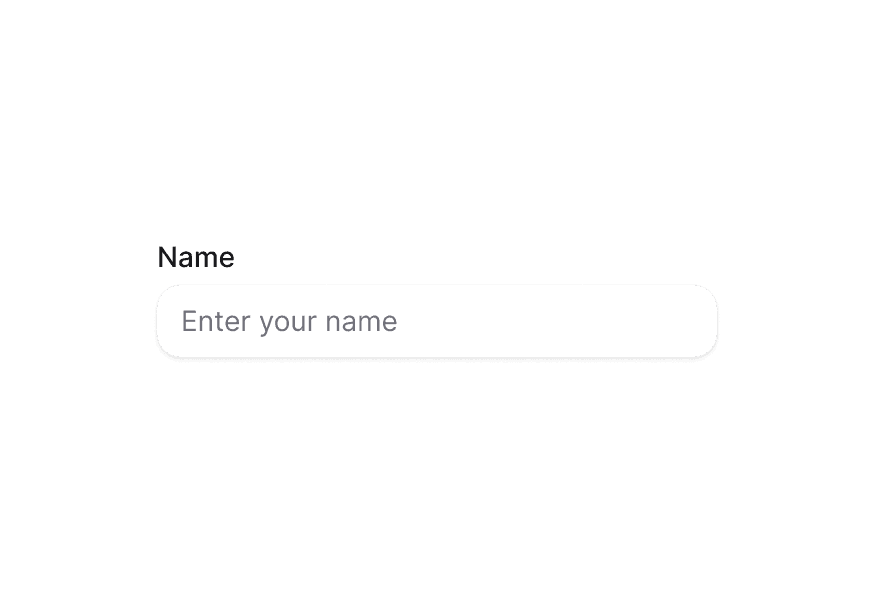
The Select component supports two visual variants:
primary(default) - Standard styling with shadow, suitable for most use casessecondary- Lower emphasis variant without shadow, suitable for use in Surface components
Full Width
With Description
Required
Disabled
With Disabled Options
Multiple Select
With Sections
Controlled
Controlled Multiple
Controlled Open State
Asynchronous Loading
Custom Indicator
With Clear Button
Select.Trigger is a button, so a nested <button> cannot be used for clear. Compose Select.ClearButton inside the trigger instead — it renders as a non-button control and does not open the menu.
Because ARIA treats the children of a button as presentational, the clear control cannot take focus. It is therefore aria-hidden and acts as a pointer affordance only. When a Select.ClearButton is composed, the trigger also clears on Backspace or Delete, which is how keyboard and screen reader users clear the selection. Both paths call onClear.
Custom Value
Render Function
In Surface
When used inside a Surface component, use variant="secondary" to apply the lower emphasis variant suitable for surface backgrounds.
Customization
Tailwind CSS
Global CSS
To customize the Select component classes, you can use the @layer components directive.
@layer components {
  .select {
    @apply flex flex-col gap-1;
  }

  .select__trigger {
    @apply rounded-lg border border-border bg-surface p-2;
  }

  .select__value {
    @apply text-current;
  }

  .select__indicator {
    @apply text-muted;
  }

  .select__popover {
    @apply rounded-lg border border-border bg-surface p-2;
  }
}
Styling Reference
HeroUI follows the BEM methodology to ensure component variants and states are reusable and easy to customize.
CSS Classes
The Select component uses these CSS classes (View source styles):
Base Classes
.select- Base select container.select__trigger- The button that triggers the select.select__value- The displayed value or placeholder.select__clear-button- The optional clear control inside the trigger.select__indicator- The dropdown indicator icon.select__popover- The popover container
Variant Classes
.select--primary- Primary variant with shadow (default).select--secondary- Secondary variant without shadow, suitable for use in surfaces
State Classes
.select[data-invalid="true"]- Invalid state.select__trigger[data-focus-visible="true"]- Focused trigger state.select__trigger[data-disabled="true"]- Disabled trigger state.select__value[data-placeholder="true"]- Placeholder state.select__clear-button[data-empty="true"]- Clear button hidden when no selection.select__indicator[data-open="true"]- Open indicator state
Interactive States
The component supports both CSS pseudo-classes and data attributes for flexibility:
- Hover:
:hoveror[data-hovered="true"]on trigger - Focus:
:focus-visibleor[data-focus-visible="true"]on trigger - Disabled:
:disabledor[data-disabled="true"]on select - Open:
[data-open="true"]on indicator
API Reference
Select
| Prop | Type | Default | Description |
|---|---|---|---|
placeholder | string | 'Select an item' | Temporary text that occupies the select when it is empty |
selectionMode | "single" | "multiple" | "single" | Whether single or multiple selection is enabled |
isOpen | boolean | - | Sets the open state of the menu (controlled) |
defaultOpen | boolean | - | Sets the default open state of the menu (uncontrolled) |
onOpenChange | (isOpen: boolean) => void | - | Handler called when the open state changes |
disabledKeys | Iterable<Key> | - | Keys of disabled items |
isDisabled | boolean | - | Whether the select is disabled |
value | Key | Key[] | null | - | Current value (controlled) |
defaultValue | Key | Key[] | null | - | Default value (uncontrolled) |
onChange | (value: Key | Key[] | null) => void | - | Handler called when the value changes |
onClear | () => void | - | Handler called when the selection is cleared |
isRequired | boolean | - | Whether user input is required |
isInvalid | boolean | - | Whether the select value is invalid |
name | string | - | The name of the input, used when submitting an HTML form |
autoComplete | string | - | Describes the type of autocomplete functionality |
fullWidth | boolean | false | Whether the select should take full width of its container |
variant | "primary" | "secondary" | "primary" | Visual variant of the component. primary is the default style with shadow. secondary is a lower emphasis variant without shadow, suitable for use in surfaces. |
className | string | - | Additional CSS classes |
children | ReactNode | RenderFunction | - | Select content or render function |
render | DOMRenderFunction<keyof React.JSX.IntrinsicElements, SelectRenderProps> | - | Overrides the default DOM element with a custom render function. |
Select.Trigger
| Prop | Type | Default | Description |
|---|---|---|---|
className | string | - | Additional CSS classes |
children | ReactNode | RenderFunction | - | Trigger content or render function |
Select.Value
| Prop | Type | Default | Description |
|---|---|---|---|
className | string | - | Additional CSS classes |
children | ReactNode | RenderFunction | - | Value content or render function |
render | DOMRenderFunction<keyof React.JSX.IntrinsicElements, SelectValueRenderProps> | - | Overrides the default DOM element with a custom render function. |
Select.Indicator
| Prop | Type | Default | Description |
|---|---|---|---|
className | string | - | Additional CSS classes |
children | ReactNode | - | Custom indicator content |
Select.ClearButton
| Prop | Type | Default | Description |
|---|---|---|---|
className | string | - | Additional CSS classes |
children | ReactNode | - | Custom content, replacing the default icon |
onClick | (e: MouseEvent) => void | - | Handler called when the control is clicked |
Select.ClearButton renders as a span so it can live inside Select.Trigger (a button) without nesting buttons. It is visually hidden when the selection is empty.
Select.Popover
| Prop | Type | Default | Description |
|---|---|---|---|
placement | "bottom" | "bottom left" | "bottom right" | "bottom start" | "bottom end" | "top" | "top left" | "top right" | "top start" | "top end" | "left" | "left top" | "left bottom" | "start" | "start top" | "start bottom" | "right" | "right top" | "right bottom" | "end" | "end top" | "end bottom" | "bottom" | Placement of the popover relative to the trigger |
className | string | - | Additional CSS classes |
children | ReactNode | - | Content children |
Render Props
When using render functions with Select.Value, these values are provided:
| Prop | Type | Description |
|---|---|---|
defaultChildren | ReactNode | The default rendered value |
isPlaceholder | boolean | Whether the value is a placeholder |
state | SelectState | The state of the select |
selectedItems | Node[] | The currently selected items |
Accessibility
The Select component implements the ARIA listbox pattern and provides:
- Full keyboard navigation support
- Screen reader announcements for selection changes
- Proper focus management
- Support for disabled states
- Typeahead search functionality
- HTML form integration
For more information, see the React Aria Select documentation.